
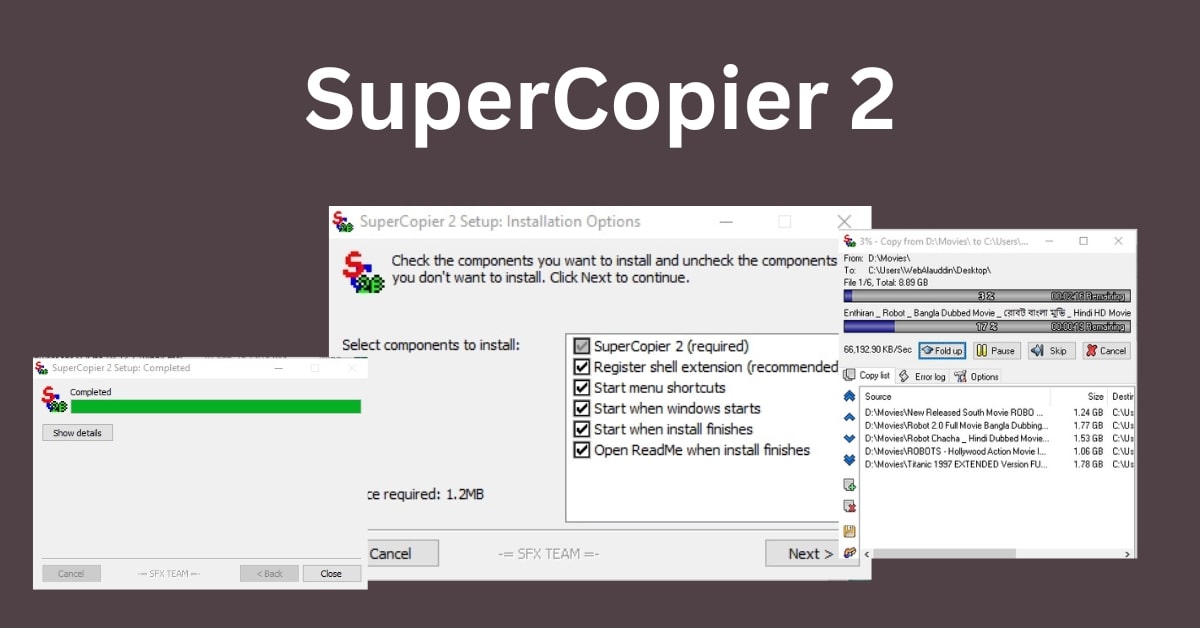
SuperCopier2 is a lightweight yet powerful file copy tool designed to replace the default Windows copy tool.
With SuperCopier2, you can speed up file transfers, pause and resume ongoing copies, and manage transfer queues with ease. Whether you’re handling large files or multiple folders, this free tool offers precise control, error management, and detailed copy logs.
Fully compatible with Windows 10 and 11 (both 32-bit and 64-bit), SuperCopier helps you save time and make file management smoother than ever, all in a simple, user-friendly interface.
🔧 How to Run the SuperCopier2
Windows has never been known for its effective file transfer or copying speeds. Programs like Supercopier and Teracopy have arisen for this very reason, providing increased efficiency in moving massive amounts of folders and data in comparison to Windows’ built-in features.
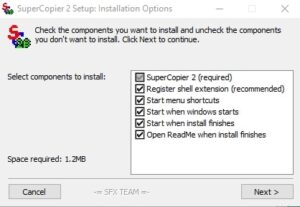
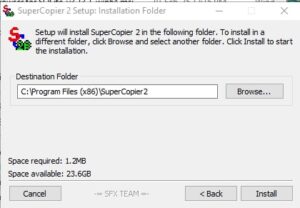
1️⃣ Download SuperCopier2
Go to the download section of this page and get the latest SuperCopier2 ZIP or installer file.
2️⃣ Extract or Install
If you downloaded a ZIP file, right-click and choose Extract All to unpack it. For the installer, double-click to start setup.
3️⃣ Launch SuperCopier2
Open the extracted folder and double-click SuperCopier2.exe (or use the desktop shortcut if installed).
4️⃣ Start Copying Files
Drag and drop files or folders into the SuperCopier2 window. You can also right-click any file and select Copy with SuperCopier from the context menu.
5️⃣ Control Transfers
Pause, resume, or cancel transfers anytime. You can also view detailed logs or manage multiple copy queues easily.
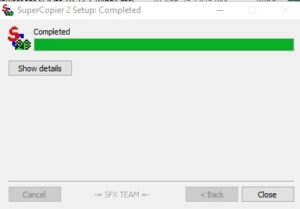
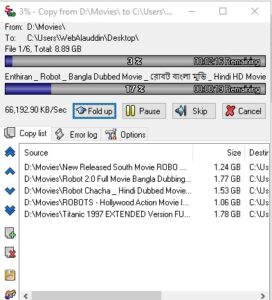
⭐ Key Features of SuperCopier2
⚡ Quicker Copy & Transfer: increases file transfer speed significantly more than Windows’ built-in copier.
⏸ Stop and Resume: You can quickly stop ongoing transfers and start them up again whenever it’s convenient.
📊 Queue Management: Use sophisticated queue control and prioritize several copy tasks.
📝 Comprehensive Logs: Maintains an exhaustive record of all copied files, mistakes, and omitted items.
⚙️ Customizable Settings: Modify error handling, transfer speed, and other sophisticated settings.
🔒 Data Integrity: Lowers the possibility of transfer problems when moving big files.
🖱 Context Menu Integration: With only one click, quickly copy or move files directly from Windows Explorer.
🪶 Portable & Lightweight: Works on even older computers due to its small file size and low resource consumption.
🖥 Windows Compatibility: Supports both 32-bit and 64-bit versions of Windows 7, 8, 10, and 11.
✅ Pros and Cons of SuperCopier2
⭐ Pros
Quick File Transfers: greatly accelerates copy and move activities in comparison to the Windows copier’s default setting.
suspend & restart: Excellent for huge files, this feature allows you to suspend transfers at any time and restart them later.
Queue Management: Easily prioritize and arrange several copy tasks.
Free & Lightweight: It is small, requires little system resources, and is free to use.
Detailed Logs: For improved control, view errors, skipped files, and copy history.
Customizable: Provides sophisticated options such as error handling and copy speed control.
⚠️Cons:
Basic Interface: The basic interface’s design seems a little antiquated in comparison to more recent technologies.
Limited Support: Official updates are infrequent.
Just Windows: Not compatible with Linux or macOS.
Advanced Features Require Configuration: Novice users may become confused by certain advanced features.
📝 Conclusion
SuperCopier2 is a lightweight yet powerful file copy tool that goes beyond the basic Windows copier. With features like pause/resume, queue management, faster transfers, and detailed logs, it makes handling large files and multiple transfers smoother and more efficient.
Whether you’re a casual user copying family photos or a professional managing big project files, SuperCopier2 saves time and keeps your workflow organized. While its interface may look simple, its performance and flexibility make it a valuable addition to any Windows PC.
✅ Download SuperCopier2 today and experience hassle-free, faster file transfers — completely free!
❓ FAQ about SuperCopier2
Q1: What is SuperCopier2?
A: With sophisticated features like queue management, error logging, and pause/resume, SuperCopier2 is a free Windows utility that speeds up file transfers and copies.
Q2: Is SuperCopier2 free to use?
A: Indeed! For both personal and professional use, SuperCopier2 is free.
Q3: Does it work on Windows 10 and 11?
A: Definitely. SuperCopier2 is compatible with 32-bit and 64-bit versions of Windows 7, 8, 10, and 11.
Q4: Can I pause and resume file transfers?
A: Yes, the flexibility to pause and resume file copy processes at any time is one of SuperCopier2’s greatest advantages.
Q5: Is SuperCopier2 safe?
A: In agreement. It safely integrates with Windows Explorer, is lightweight, and is free of malware and advertisements.
Q6: How is it better than Windows’ default copier?
A: In agreement. It safely integrates with Windows Explorer, is lightweight, and is free of malware and advertisements.
Q7: Do I need to install it?
A: SuperCopier2 must be installed once. After that, when you copy files, it operates automatically in the background.

![Reoon Email Verifier Review – Clean Invalid Email Lists [$79]](https://www.webalauddin.com/wp-content/uploads/2026/07/Reoon-Email-Verifier-400x250.jpg)